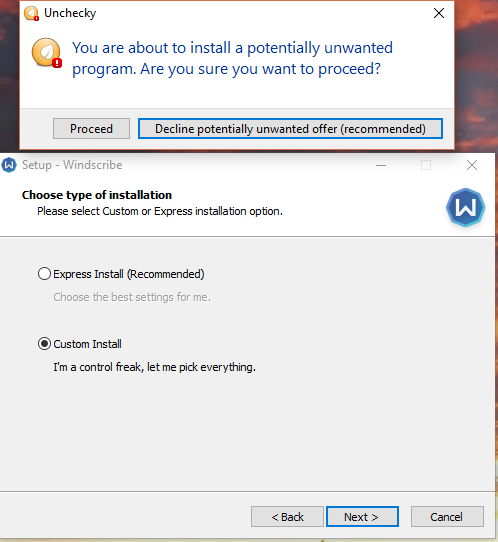
[Uncheky1.0.2]Skip some soft from Format Factory 4.1 installer(Browser and some other) and couple checkboxes from Vkmusic 4.72
Skip some soft from Format Factory 4.1 installer(Browser and some other) and couple checkboxes from Vkmusic 4.72

 unchecky nao funciona
Tenho o windows xp e sempre usei o unchecky mas ele nao esta mais funcionando, não desmarca nenhuma caixa, tudo esta habilitado nele e mesmo assim nao funciona, alguem sabe como resolver isso e se tem que instalar algum outro programa para ele funcionar.



Comodo Free Firewall not detected by Unchecky
Comodo Free Firewall version 10.0.0.6092
(cfw_installer_6106_53.exe)
https://www.comodo.com/home/internet-security/firewall.php
http://download.comodo.com/cis/download/installs/2000/partners/cfw_installer_6106_53.exe
I thought this one might need its own topic since I see that support for Comodo Internet Security was added in the latest version, but no mention of the Free Firewall.
Screenshot:
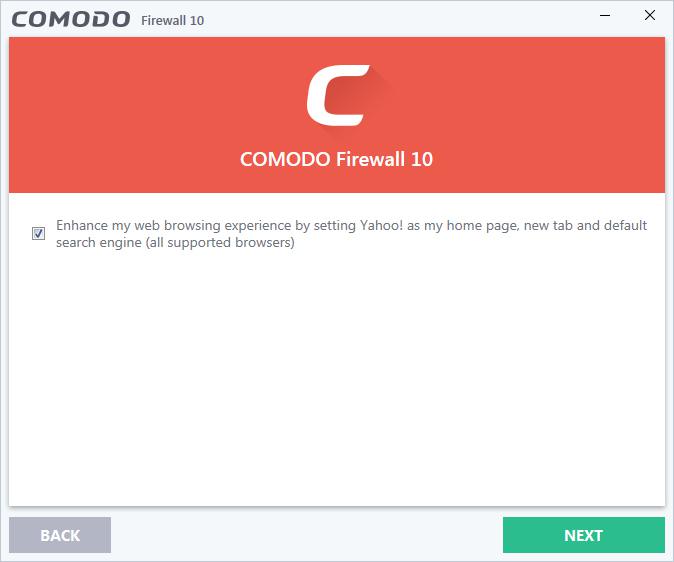
Info tool report: https://unchecky.com/info_tool/?1491352023_eQ6BHPah7f7MKL2l
It seems Unchecky was not injected so I'm guessing that Unchecky does not detect this installer?
Anyways, hope this helps.
ZoneAlarm Free Firewall has a hidden checkbox
ZoneAlarm Free Firewall version 15.1.501.17249
(zafwSetupWeb_151_501_17249.exe)
https://www.zonealarm.com/software/free-firewall/
There is a checkbox that isn't revealed until you click a text that says "Click here to customize the installation", see screenshots below for before and after.
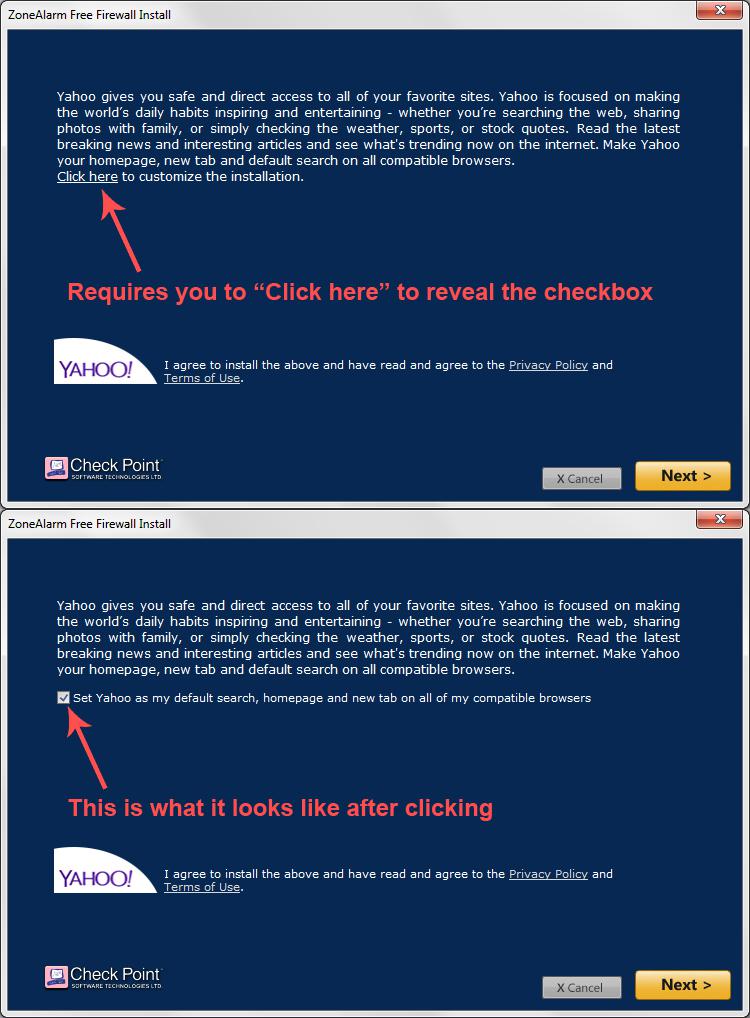
I used the info tool on both the "click here" and the checkbox but the reports were identical, so here's the report: https://unchecky.com/info_tool/?1491351302_A6G92OMXpbZOxEOF
Hope this helps.
Unchecking doesn't work on Windows XP SP3
Latest version of Unchecky properly installs, working in a background w/o any problems, but also w/o any reaction on a checkboxes in the installers windows, where prev. versions works correctly.
Unchecky v1.0.2, Windows XP SP3 (32bit)

We're sorry to hear that you've uninstalled Unchecky. The issue, which was specific to Windows XP, should be fixed in Unchecky v1.0.3.
 Where are the Settings stored?
Hello,
I plan to deploy unchecky via gpo allover the domain.
This is no problem using the -install and -no_desktop_icon parameter; thank you for that! :-)
However, i want to enable "Do not Show Icon in Infotray" and also enable "Don't display warning tooltips" per default.
Where are those settings stored?
greets

Unchecky does not pick up Dashlane install on IObit DRIVER BOOSTER install .exe
When running driver_booster_setup.exe from IOBit Unchecky does not detect option to install PUP program Dashlane. Looks like IOBit might be hiding optional install programs in image panels(??)
I can send you the file or you can download thw Driver Booster freeversion installer from
http://download.cnet.com/Driver-Booster-2/3000-18513_4-75992725.html?part=dl-&subj=dl&tag=button
Customer support service by UserEcho