
 flowgorithm
Hello,
Unchecky prevents me from installing free flowchart application Flowgorithm. It says, "You are about to install potentially unwanted program." It doesn't describe why this app is potentially unwanted. Is it false positive?

Thanks for the report.
Yes, this is a false positive. The bug is fixed in the latest version of Unchecky.
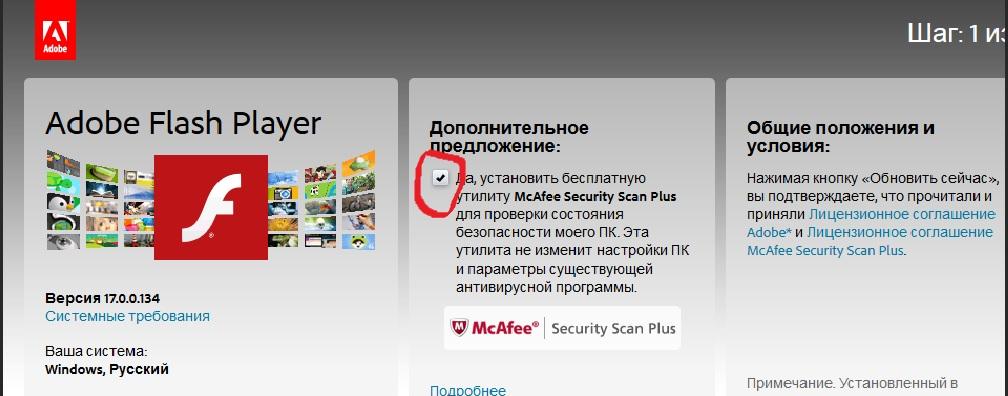
Снять одну галочку - не всегда самое простое. Эта галочка находится в браузере, а он не один - есть как минимум Chrome, Firefox, IE, Opera, Maxthon, Safari, ...
Добавить поддержку для веб-галочек планируется, но я не могу точно сказать, когда эта функциональность будет доступна.
На эту тему есть пост, поэтому я закрываю этот как дубликат.
http://unchecky.userecho.com/topic/320753-flashplayer-adobe-checkmark-to-install-macafee-on-the-download-page-is-not-removed/
 Adobe Shockwave Player german
For more info, please see:
http://unchecky.userecho.com/topic/320753-flashplayer-adobe-checkmark-to-install-macafee-on-the-download-page-is-not-removed/
Closing as duplicate.
picpick screen capture program
It would be nice if PicPick's way of including extra-ware is also caught by Unchecky
Closing because the report is very old. Feel free to leave a comment with additional information.
CHIP-Installer
Example 1
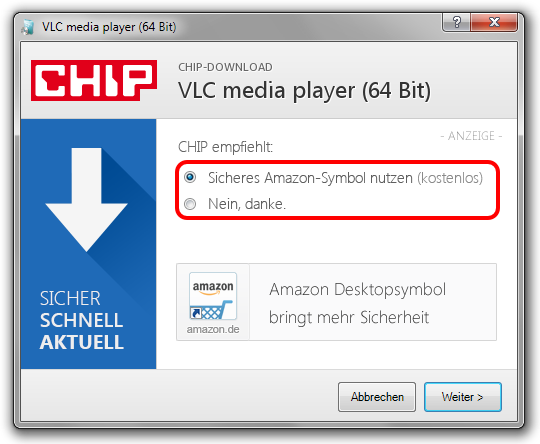
Example 2
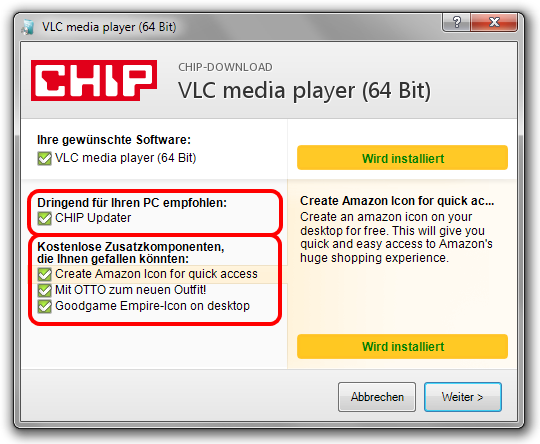
VLC Media Player bundled with the CHIP-Installer can be downloaded here:
www.chip.de/downloads/VLC-player-64-Bit_53513913.html
OR
www.chip.de/downloads/OpenOffice_13004346.html
(just click "Jetzt downloaden - Mit sicherem CHIP-Installer")
It seems that the CHIP-Installer has been removed from many downloads, but at some downloads you have still the option to download the software bundled with CHIP-Installer.
So, I do not know if it's worth that you are adding support for the CHIP-Installer.
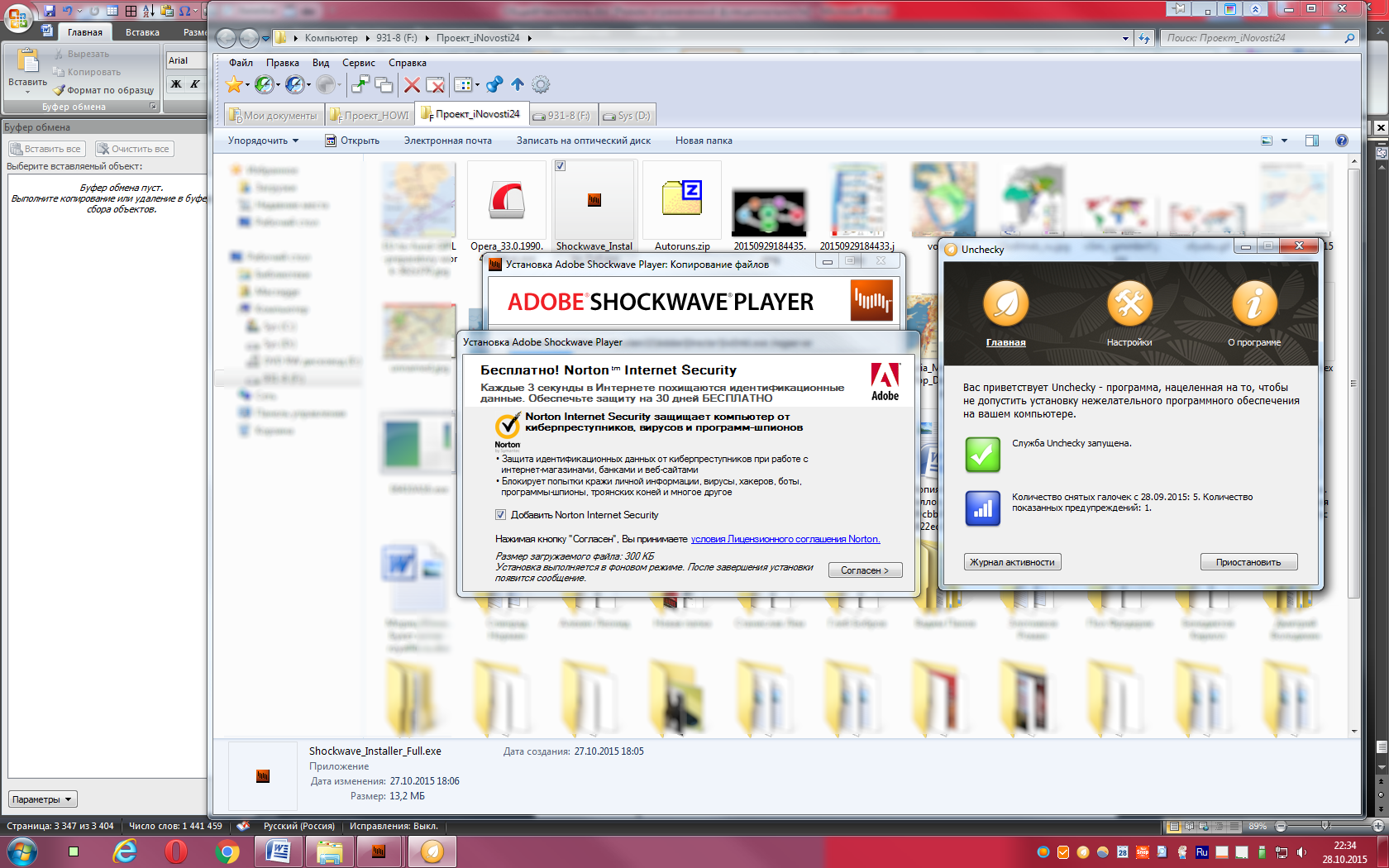
EMCO Remote Installer Free, incorrect prompt at license agreement.
"You are about to install a potentially unwanted program. Would you like to proceed?"

 McAfee-Install via Adobe-Reader-Update
Is it possible to prevent McAfee from installing, via Adobe-Reader-Update ?
One gaming-mate came up with it:
[quote]
Mine actually didn't go through the website..as it was a popup telling me to update.
I found that the updater installs a program called TiltWheelMouse.exe onto your system and inserts a pointer in the Startup section of Msconfig. When you next reboot/start your system, it then starts the program to download & install McAfee in the background without any prompts.
https://www.google.com/?gws_rd=ssl#q=pximouse
It also places a pointer in your registry file under the pximouse entry under the Run folder. I merely looked for those files (pximouse and TiltWheelMouse.exe) and deleted the entries in the registry. And deleted the file TiltWheelMouse.exe from the System32 folder
[/quote]
Best Regards
For more info, please see:
http://unchecky.userecho.com/topic/320753-flashplayer-adobe-checkmark-to-install-macafee-on-the-download-page-is-not-removed/
dont create desktop icon
this would be handy for me - i try to keep the desktop clear, if unchecky could uncheck "create desktop shortcut" in an installers config that would be awesome!
Thank you for the feedback.
For simplicity, we decided not to provide this option. You can simply remove the icon, and it won't be created again, even after updating Unchecky.
Note that if you are using a silent installation, there's a command line option for not creating the icon. Refer to the FAQ on the website for more details.
Closing as a duplicate of:
http://unchecky.userecho.com/topic/414034-yarlyik-na-rabochem-stole/
Сервис поддержки клиентов работает на платформе UserEcho